
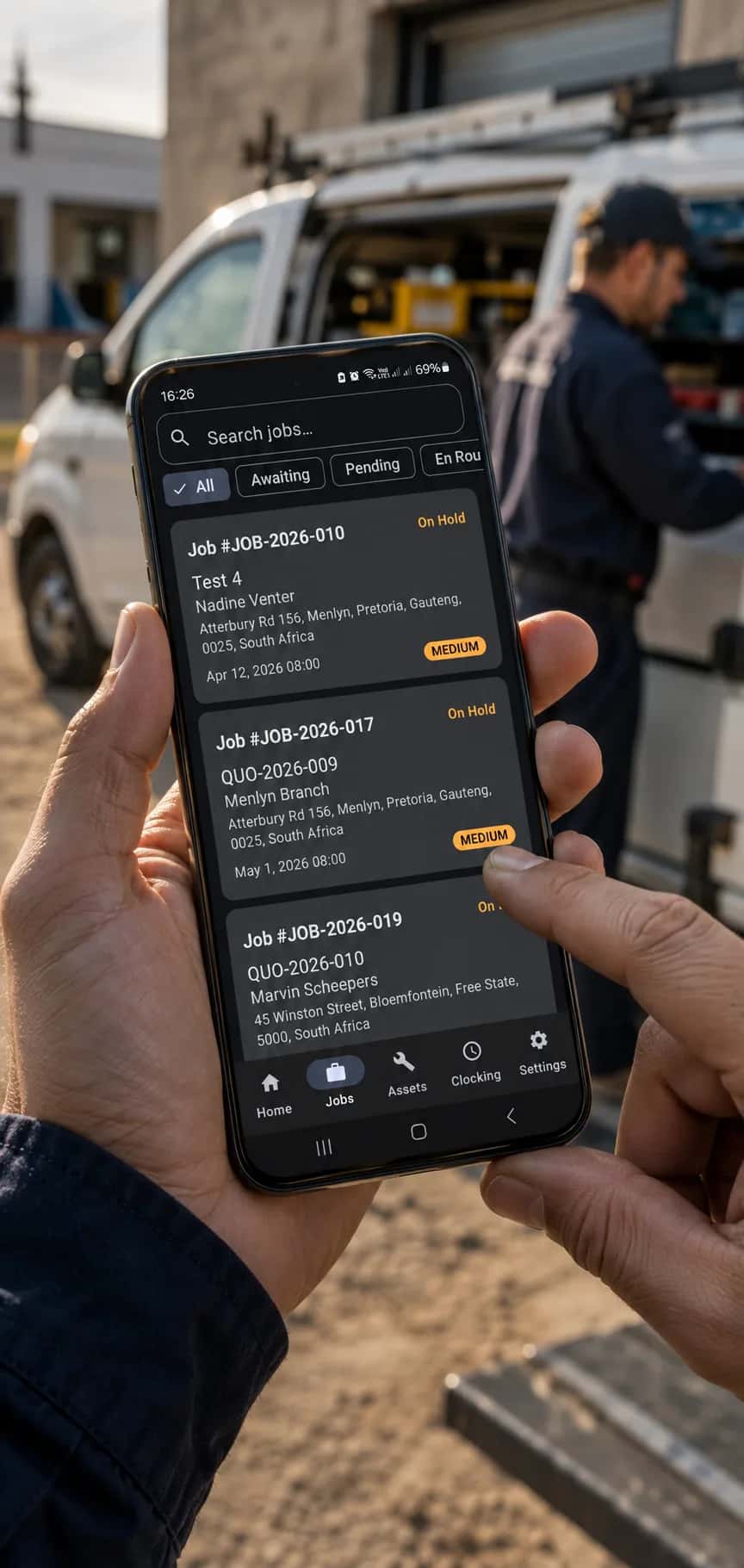
Field Services App for Technicians. Even Offline.
Exequ-Jobs is an Android field services app built for technicians. Manage your jobs, capture proof of work, and log your time - even in areas with no internet. Everything syncs when you reconnect.
Available on

See Exequ-Jobs in Action
A four-minute walkthrough of the field services app on a phone — from clocking in and receiving stock into the van to closing a job with photos, notes, and a signature.
This is the field services app exactly as a technician sees it. The walkthrough starts with the team clocking in, then receives stock from a purchase order into the vehicle — scanning serial numbers on the way in. On the job card it fulfils the materials the office reserved, adds site photos, logs the work performed, and captures the technician's completion signature before clocking out.
Everything you see is stored on the phone first, so the same flow works in a basement, on a farm, or during load-shedding — and syncs to the office the moment there is signal again. That matters more than it sounds: during heavy load shedding, tower batteries last six to twelve hours and need twelve to eighteen to recharge, and the networks themselves warned of coverage blackouts above stage 4 (TechCentral, 2023).
Built for the Way Technicians Actually Work
Every feature of our field services app is designed for life on the job site - fast, simple, and reliable even without connectivity.
Offline-First
Works without internet. All data is stored locally and syncs automatically when a connection is available.
Job Card Management
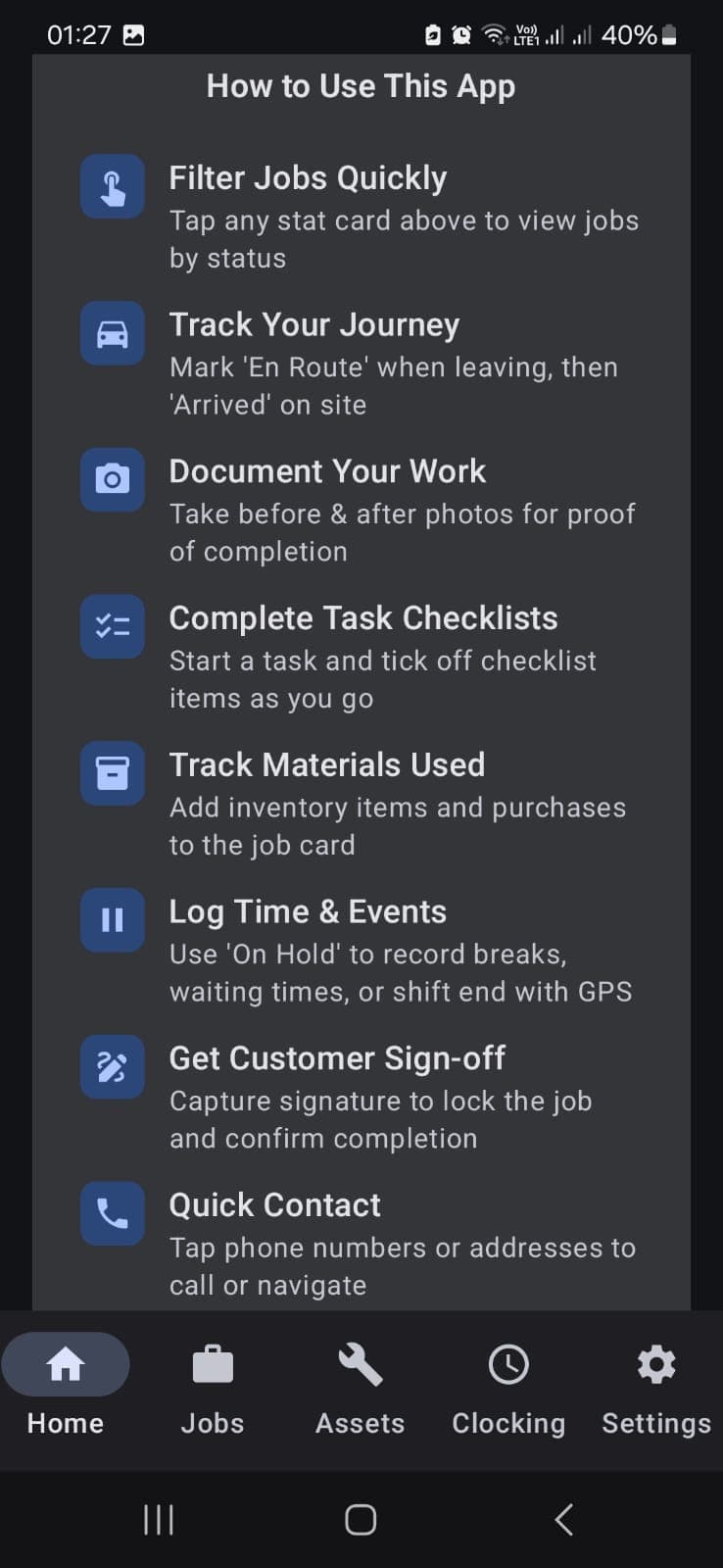
View assigned jobs, update status, add notes, and mark jobs as complete - all from your phone with our field services app.
Photo Capture
Document your work with before and after photos. Automatically tagged with time and location.
Digital Signatures
Capture client signatures on-site for job sign-off. No more paper forms or lost documents.
Time Logging
Clock in and out per job with a single tap. Travel time, work time, and breaks - all tracked automatically.
Location Tagging
Automatic GPS tagging on every job update. Your office knows where you are without you having to call in.
Mobile Job Cards That Sync in the Background
The Exequ-Jobs field services app is built offline-first, meaning your data is stored securely on your device. When connectivity returns, everything syncs automatically in the background - no manual action needed.
Automatic Background Sync
Data syncs silently whenever a connection becomes available. No buttons to press.
Built to Protect Your Work
Everything is stored locally first, so even if you lose your connection mid-job, your work is preserved on your device.
Works on Any Android Device
Designed to run smoothly on affordable Android phones. No flagship device needed.
An Offline Field Services App, Not an “Offline Mode”
Many field services apps advertise offline support, but treat it as a fallback: a cached copy of your data that goes stale, features that grey out, and work that gets lost when the app can't reach the server. Exequ-Jobs is built the other way around. The local store on the device is the source of truth — every job card, photo, signature, and time entry is written to the phone first, whether you have signal or not.
That means a technician in a basement, on a remote site, or in a coverage dead zone works exactly the same way as one standing next to a tower. Nothing greys out, nothing is lost, and the office catches up automatically the moment connectivity returns. Read more about why offline-first architecture matters for field service.
A Day with Exequ-Jobs
Here's what a typical day looks like for a technician using the Exequ-Jobs field services app.
Start Your Day
Open the app, see your assigned jobs for the day, and plan your route. All job details are already downloaded and available offline.
Work the Job
Clock in when you arrive, update job status as you work, take photos of your progress, and add any notes. Everything is saved locally on your device.
Close the Job
Take completion photos, capture the client's digital signature, and mark the job as done. The office is notified the moment you have signal.
Sync & Go Home
All your job data, photos, signatures, and time logs sync automatically. No paperwork, no end-of-day admin. Just close the field services app and go home.
Install Exequ-Jobs
Get the app on your Android phone and start working jobs in minutes.

Exequ-Jobs
Free with your ExequtechOS subscription


Scan to install on your phone
Who It's For
The Exequ-Jobs field services app is built for trades that work on site — see your trade's full workflow.
Equip Your Team
Give your technicians the tools they need to work smarter. Get started with the Exequ-Jobs field services app today.
Get in Touch