
Field Service Management (FSM) Software Quote to Invoice. One Connected Business.
ExequtechOS is field service management (FSM) software for trade businesses — quoting, digital job cards, scheduling, invoicing, inventory, and teams in one platform. All the depth of an ERP, without the overhead.
Digital FSM Job Cards, From Quote to Invoice
The FSM job card is the record every trade business runs on. ExequtechOS keeps it connected to everything around it.
An approved quote becomes an FSM job card without retyping. The card carries the customer, the site, the scope, and the assigned technician; on site, tasks, materials, hours, photos, and the customer's signature are captured in the Exequ-Jobs offline app, with or without signal. When the work is done, the completed card becomes the invoice in one click, and the materials it used come straight out of stock.
Because the FSM job card is data rather than paper, the office sees progress as it happens, every site keeps its history, and nothing billable is left in a van. New to the term? Read what a job card is and what belongs on one, or see how to judge job card software in South Africa before you compare options.
See ExequtechOS Field Service Management Software in Action
A guided tour of the platform — from first customer to final invoice.
In this video we show off the layout and tab switching that's never before been seen in an app like this — then walk you through the full workflow step by step: creating a customer, adding a product, building a quotation, turning it into a job card, and finishing with the final invoice.
The case for one connected system is not only convenience. IDC estimates that companies lose 20–30% of revenue every year to inefficient processes, and as recently as 2020 a quarter of field service organisations were still scheduling jobs on spreadsheets.
Seven Modules. Fully Connected.
Every part of your business, connected. From the first client enquiry to the final payment — ExequtechOS Field Service Management Software handles it.
Client Management
Keep customers, suppliers, and leads in one place.
- Store multiple contact persons and physical or billing addresses.
- Keep payment preferences, VAT and company details, account information, and notes.
- Reuse the correct customer, contact, and address on quotes, jobs, and invoices without recapturing details.
- Optionally update document contact details with one click.
Quoting & RFQs
Send professional quotes customers can approve from their phone.
- Customers review and sign through a simple link — no app or account required.
- Request supplier pricing through a secure portal with no registration required.
- Send the same RFQ to multiple suppliers to compare prices and find the best deal.
- Receive supplier pricing against each requested item directly into the system.
- Select items and convert them directly into a purchase order, line by line from multiple suppliers.
Job Management
The heart beat of your business.
- Create jobs and assign your team. Capture tasks, materials, hours, travel, photos, purchases, and signatures on site.
- The office can monitor on-site progress as your team updates the job.
- Send customers a simple link to review the work, provide feedback, and sign off.
- Manage large projects with multiple job cards.
- Schedule recurring maintenance jobs that are automatically created when due — nothing falls through the cracks!
Invoicing & Payments
Turn a completed job or approved quote into an invoice with one click.
- Create deposit or incremental invoices as payments become due.
- Send invoices as PDFs and record incoming payments.
- Allocate a single payment across multiple invoices.
- Track outstanding balances with current, 30-, 60- and 90-day aging reports.
- Print and send account statements.
Inventory & Stock
Know what you have and where it sits — across warehouses, vehicles, and job sites.
- Move stock between warehouses, vehicles and jobs and monitor physical counts.
- Transfer material between vehicles with a ‘receive’ action, not a ‘send’ action.
- Track individual items by serial number for service history.
- Select multiple items and create a quotation or RFQ with one click.
- Raise purchase orders and send them to suppliers.
- Receive arriving items directly into inventory.
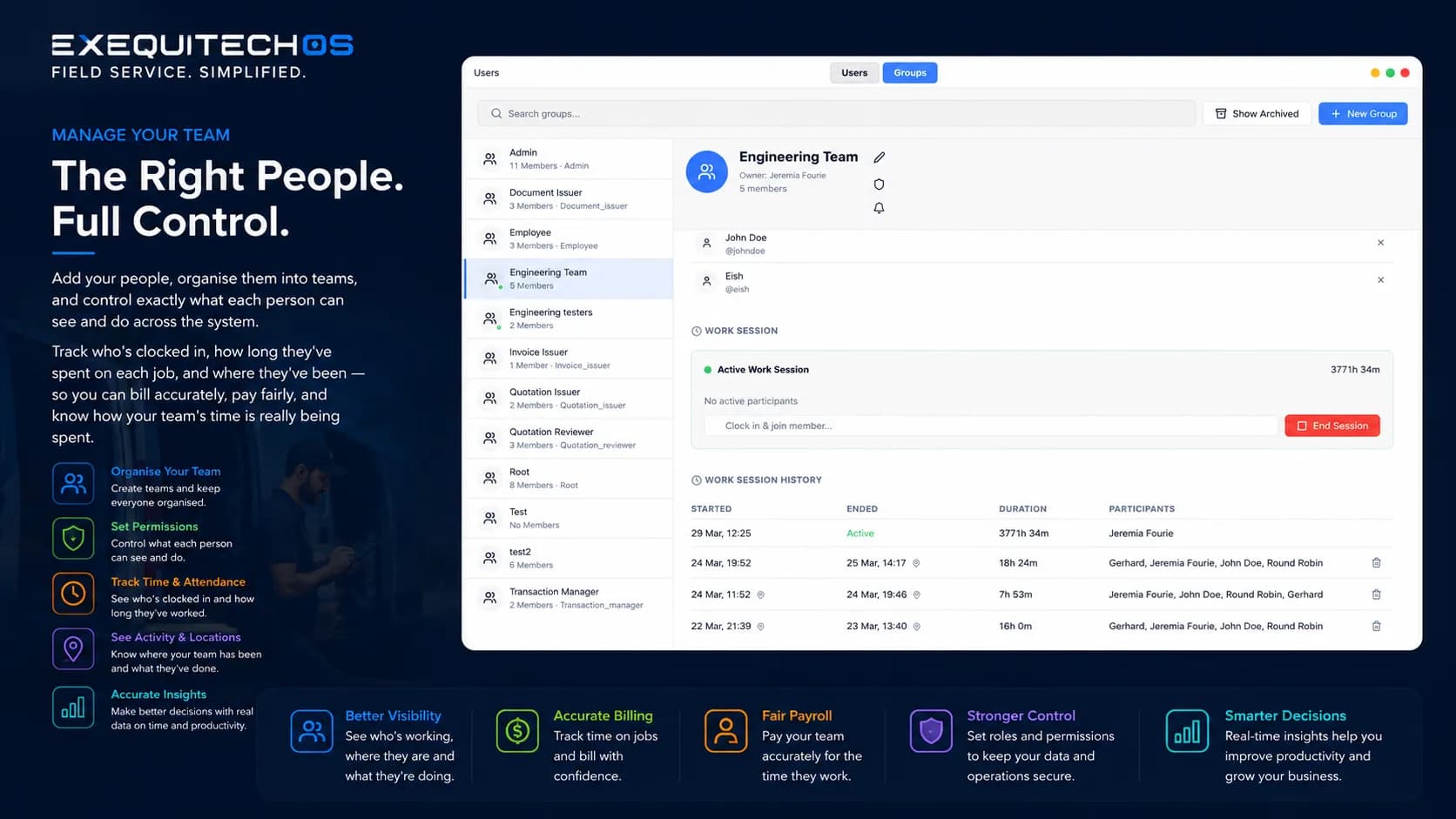
Team Management
Organise your people and understand how their time is spent.
- Add people to teams and control what each person can see and do.
- See who is clocked in.
- Track admin staff working hours.
- Track general workers' hours free of charge.
- Track time spent on each job and where your team has been.
- Use time records to bill accurately and pay fairly.
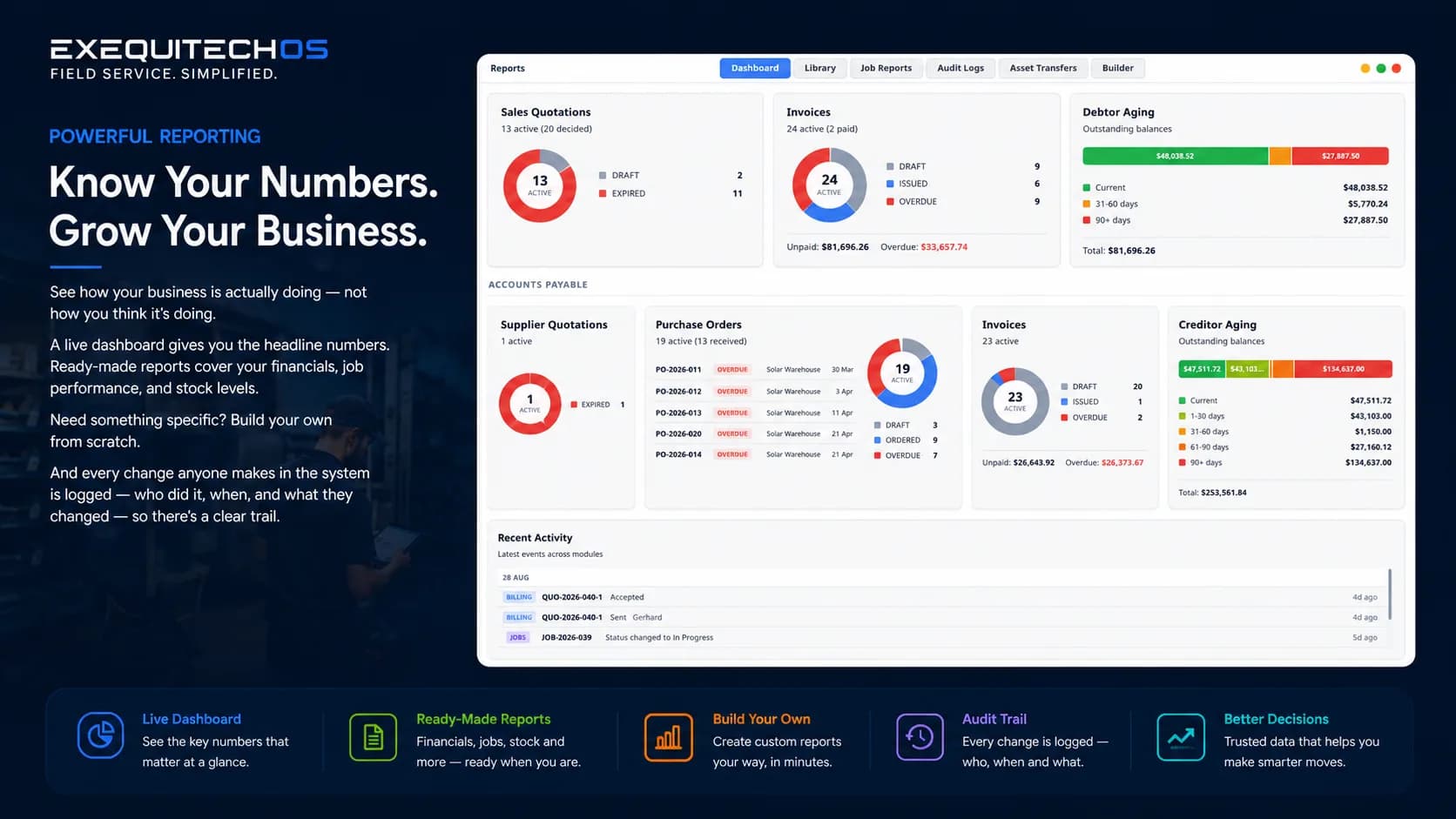
Reporting
See how your business is performing with live numbers and ready-made reports.
- View headline numbers on a live dashboard.
- Review financials and job performance.
- Review technician utilization and recovery.
- Create supplier picking lists.
- Create location-based stock take sheets.
- Monitor stock levels.
- Follow a clear audit trail of who changed what and when.
How It Works
Three steps to running your entire operation from one place.
Set Up Your World
Add your clients, team, and inventory. Configure your quote templates and invoice settings. ExequtechOS moulds to how your business already works — not the other way around.
Run Your Day
Create quotes, schedule jobs, track stock, and send invoices. Your team uses Exequ-Jobs on-site to log work as it happens. Everything flows through one system.
See the Full Picture
Your dashboard updates as work happens — job progress, cash flow, stock levels, team activity. Actions are logged, numbers stay current, and reports are just a click away.
Why Service Businesses Choose FSM over Traditional ERP
The difference isn't features — it's where the system starts.
Traditional ERP is built around the office. It runs ledgers, procurement, and month-end — and treats the people doing the actual work as an afterthought. For a service business that's backwards: the job site is where your revenue happens, and it's exactly where most ERP systems stop.
Field service management software starts at the job. ExequtechOS schedules the work, puts a digital job card in your technician's hand — offline if the signal dies — and feeds everything captured on site straight back into quoting, invoicing, and stock. No retyping, no gaps between the field and the office.
And you don't give up the back office to get it. ExequtechOS keeps the ERP-grade capabilities a service business actually needs — inventory across warehouse, vehicles, and job sites, purchase orders, aging reports, and a full audit trail — attached to the job workflow instead of locked in a separate system. Not sure which you need? Read our FSM vs ERP guide.
Who It's For
See how ExequtechOS fits your specific trade.
Field Service Management Software FAQs
Everything you need to know about FSM software and how it fits your business.
What is field service management (FSM) software?
Field service management (FSM) software is a system that helps businesses coordinate work done outside the office — scheduling jobs, dispatching technicians, tracking job cards, quoting, invoicing, and managing stock. Instead of juggling spreadsheets, paper job cards, and WhatsApp messages, everything lives in one connected platform that both the office and the field team work from. ExequtechOS is FSM software built for South African service businesses, paired with Exequ-Jobs, an offline mobile app for technicians.
What are the benefits of FSM software?
The biggest benefits are less admin time, faster invoicing, and real-time visibility into every job. Quotes convert to jobs, jobs convert to invoices, and stock is tracked automatically — so nothing falls through the cracks, double entry disappears, and you always know what your team is busy with without constant phone calls.
What do I need to look for when considering FSM job card software?
Look for a system that covers your whole workflow — quotes, job cards, invoicing, stock, and team management — rather than one piece of it. Check that the mobile app works offline, that pricing is simple with no hidden fees or feature gates, and that it is easy enough for your least technical team member to use every day.
What are common features of field service management software?
Typical features include client management, quoting, job cards and work orders, scheduling and dispatch, invoicing, inventory and stock control, and team management. ExequtechOS covers all of these in seven connected modules, and the Exequ-Jobs mobile app adds photo capture, time logging, and signature collection on site — even without signal.
How much does FSM software cost?
FSM software is usually priced per user per month, and many vendors charge extra for add-ons or premium tiers. Exequtech keeps it simple: R777 per user per month with everything included, or the Lite plan at R555 with less storage. There are no contracts, feature gates, or hidden fees.
How do I choose the best FSM job card software?
Start from your workflow: list the steps a job goes through from first call to payment, then check the software handles each one without workarounds. Prioritise offline capability if your technicians work in areas with poor signal, and ask for a demo or trial so your team can test it on real jobs before you commit.
Who needs field service management (FSM) software?
Any business that sends people out to job sites benefits from FSM software — plumbers, electricians, HVAC and solar installers, security companies, maintenance teams, and other trades. If you are managing more than a handful of jobs a week on paper or spreadsheets, FSM software will pay for itself in recovered admin time alone.
How do I implement FSM software in my company?
Start by loading your clients, price lists, and stock, then run new jobs through the system from day one rather than migrating old paperwork. Train the office team first, then technicians on the mobile app. Exequtech is designed to be simple enough to learn in a day, and we help you get set up and walk your team through the platform.
How will FSM software affect my turnover?
Field service management software grows turnover by letting you quote faster, complete more jobs per week, and invoice the same day work is done instead of weeks later. It also stops revenue leaks — forgotten billable hours, unbilled materials, and stock theft — and frees up admin time you can spend winning new work.
More questions? Browse the full FAQ.
See It In Action
Get a personalised demo and see how ExequtechOS field service management software can run your business from one screen.
Request a Demo